 Scanbrix

Go Back
Top 7 iPhone LiDAR & 3D Scanner Apps to Use in 2026 (Scan-to-CAD Ready)
Explore the top 7 iPhone LiDAR and 3D scanner apps in 2026 for accurate room scans, CAD-ready models, and powerful home design workflows. Discover why Scanbrix leads the list.

Last updated: August 1, 2026
In 2026, every creative, contractor, and designer will demand precision, speed, and convenience from their digital tools. Gone are the days of manual sketches and re-measurements. With the right iPhone 3D scanner app powered by LiDAR, you can capture whole rooms in minutes and convert them into real models.
The challenge: hundreds of LiDAR apps clamouring for your attention. Which ones are truly worth your time?
Using a mix of user reviews, in-app testing, and feature analysis, we identified seven LiDAR apps that meet professional-grade standards in 2026.
Below, you’ll find our evaluation criteria, detailed comparisons, and why Scanbrix earned the top spot for accuracy and scan-to-CAD performance.
Scanbrix is live on the App Store. Your first 1,000 sq ft of modeling is free — download and scan your next project →
What We Looked For (Selection Criteria)
We evaluated on:
True LiDAR utilization: not just AR overlays, but depth scanning & mesh/point cloud creation
Ease of Use & Workflow: how simple is it to capture, edit, export
Export & File Format Support: DWG, SKP, RVT, IFC, OBJ, etc.
Real-time Processing & Accuracy: how responsive the app is, how close the captured geometry is to reality
Pricing & Value: free tier, paid tier, subscription
Updates & Support: app activity, community, stability
We also prioritized apps that integrate with U.S.-popular CAD/BIM tools and have native support for imperial units (feet/inches) when available.
Top 7 iPhone LiDAR / 3D Scanner Apps for 2026
Below are the apps we recommend. Each has strengths; only one checks every box.
1. Scanbrix
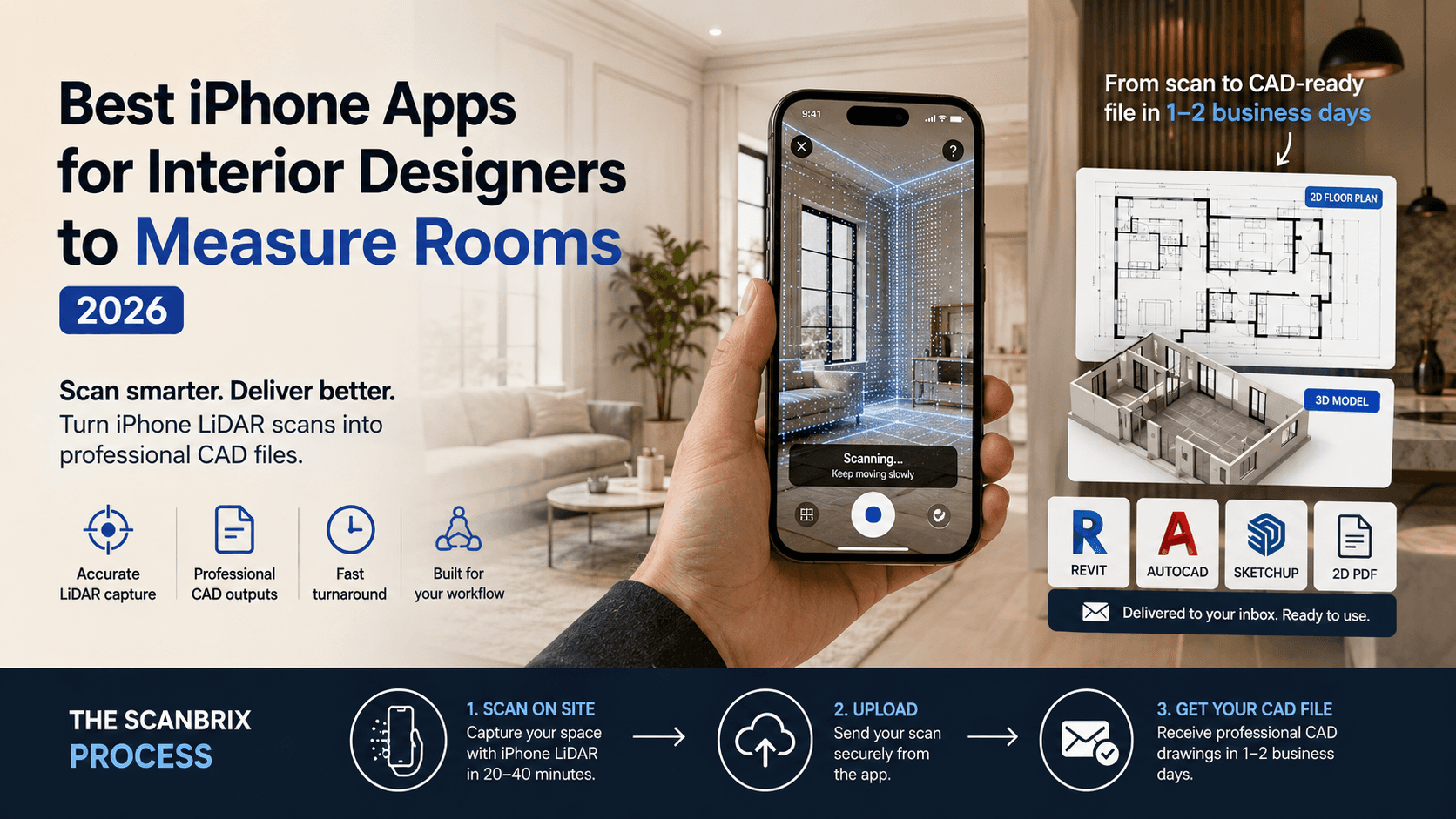
Why it leads: Built for professionals, with scan-to-CAD conversion, optimized for LiDAR scanning workflows, accuracy calibration, and export formats aligned with architecture/BIM tools.
Strengths: captures, processes, and converts to DWG / SKP / RVT; optional reference measurements, collaboration.
Weaknesses / Future work: still new; may need more advanced scanning in extremely complex commercial settings.
Use case: end-to-end scanning and deliverable modeling for home improvement, renovation, construction.
Scanbrix is live on the App Store. Your first 1,000 sq ft is free, with no subscription and no card required. Scan a room, upload it, and get your Revit, SketchUp, or AutoCAD file back within two business days.
Download Scanbrix and scan your next project →
2. SiteScape
Why it shines: Built around LiDAR-first reality capture for AEC professionals. Produces dense point clouds and focuses more on accurate site documentation than consumer-grade 3D scanning.
Strengths: Professional point-cloud workflows, strong capture quality, cloud collaboration, useful for renovation, surveying, and construction documentation.
Weaknesses: Less beginner-friendly than Polycam or MagicPlan; workflow is more geared toward technical users than homeowners.
Use case: Existing conditions capture, renovation projects, construction documentation, and scan-to-BIM workflows.
3. Polycam
Why it shines: Versatile scanning modes (room, object, 360). Good editing tools integrated.
Strengths: polished UI, strong export options, broad community.
Weaknesses: free version has limitations; some features behind paywall.
Use case: early-stage scanning, concept modeling, client previews.
4. 3D Scanner App
Why it shines: Simple, reliable, good option for basic scans and models.
Strengths: lower barrier to use, decent editing.
Weaknesses: fewer advanced controls; less accurate on complex surfaces.
Use case: quick scans on site for reference geometry.
5. Scaniverse
Why it shines: Offline processing option, good for remote / low-internet environments. Uses Gaussian splatting for efficient mesh quality.
Strengths: robust, good sharing features.
Weaknesses: export formats sometimes limited; high resolution models can lag.
Use case: terrain, larger rooms, remote sites.
6. Dot3D – LiDAR 3D Scanning
Why it shines: More oriented toward professional / enterprise scanning & measurement.
Strengths: strong feature set for measurement, annotations, integration.
Weaknesses: steeper learning curve, pricing premium.
Use case: technical documentation, site survey, architecture firms.
7. MagicPlan
Why it shines: Excellent at creating instant 2D floor plans
Strengths: Great features, collaboration and project-based PRO subscriptions (paid plans require a minimum of 10 projects per month; see magicplan.app/pricing for current rates).
Weaknesses: lacks accuracy
Use case: Creating 2D plans of homes as a starting point for a project
Comparison Table: Top 7 Apps Snapshot
App | Export / CAD Support | Strengths | Trade-offs | Best For U.S. Pros |
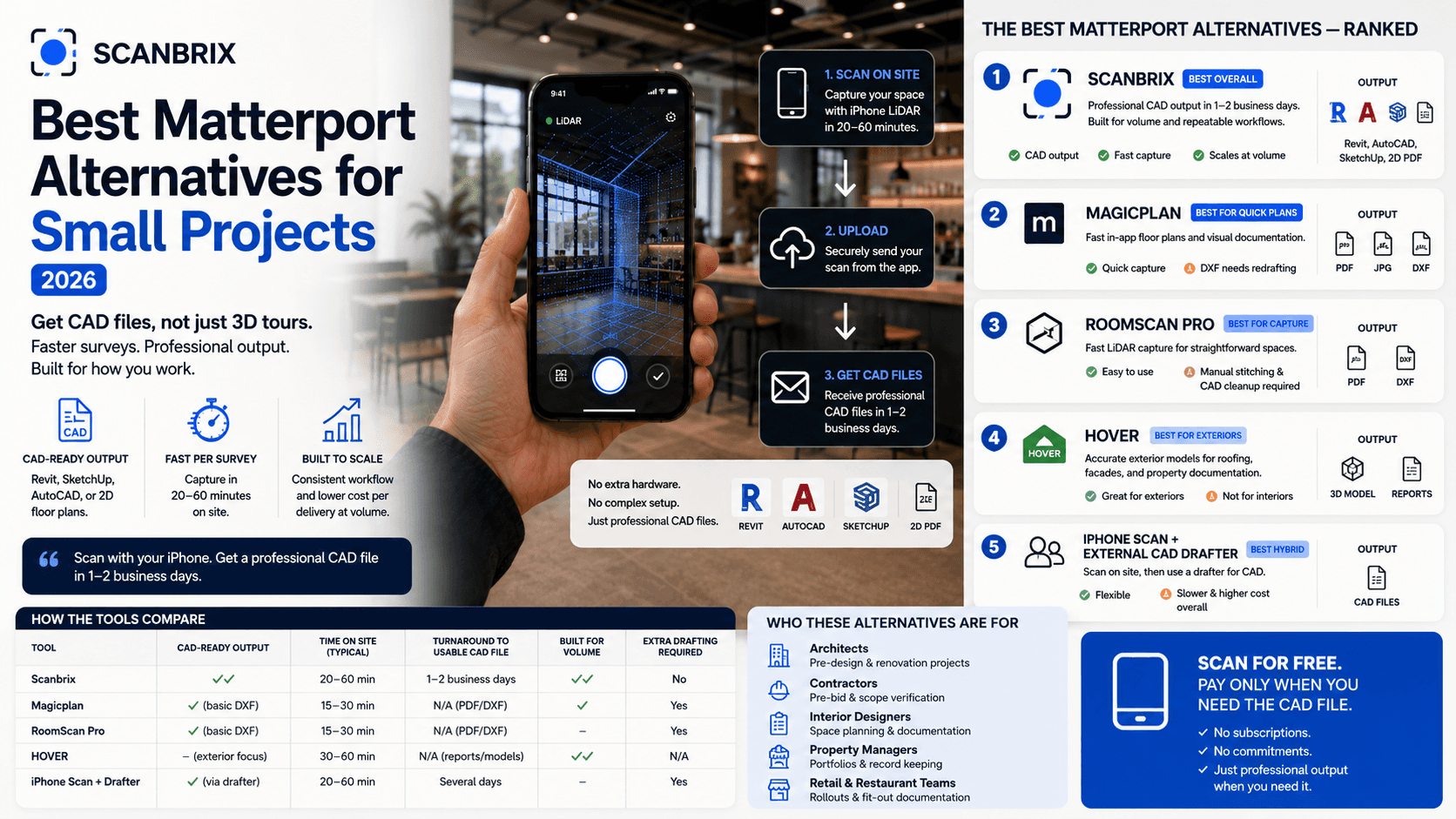
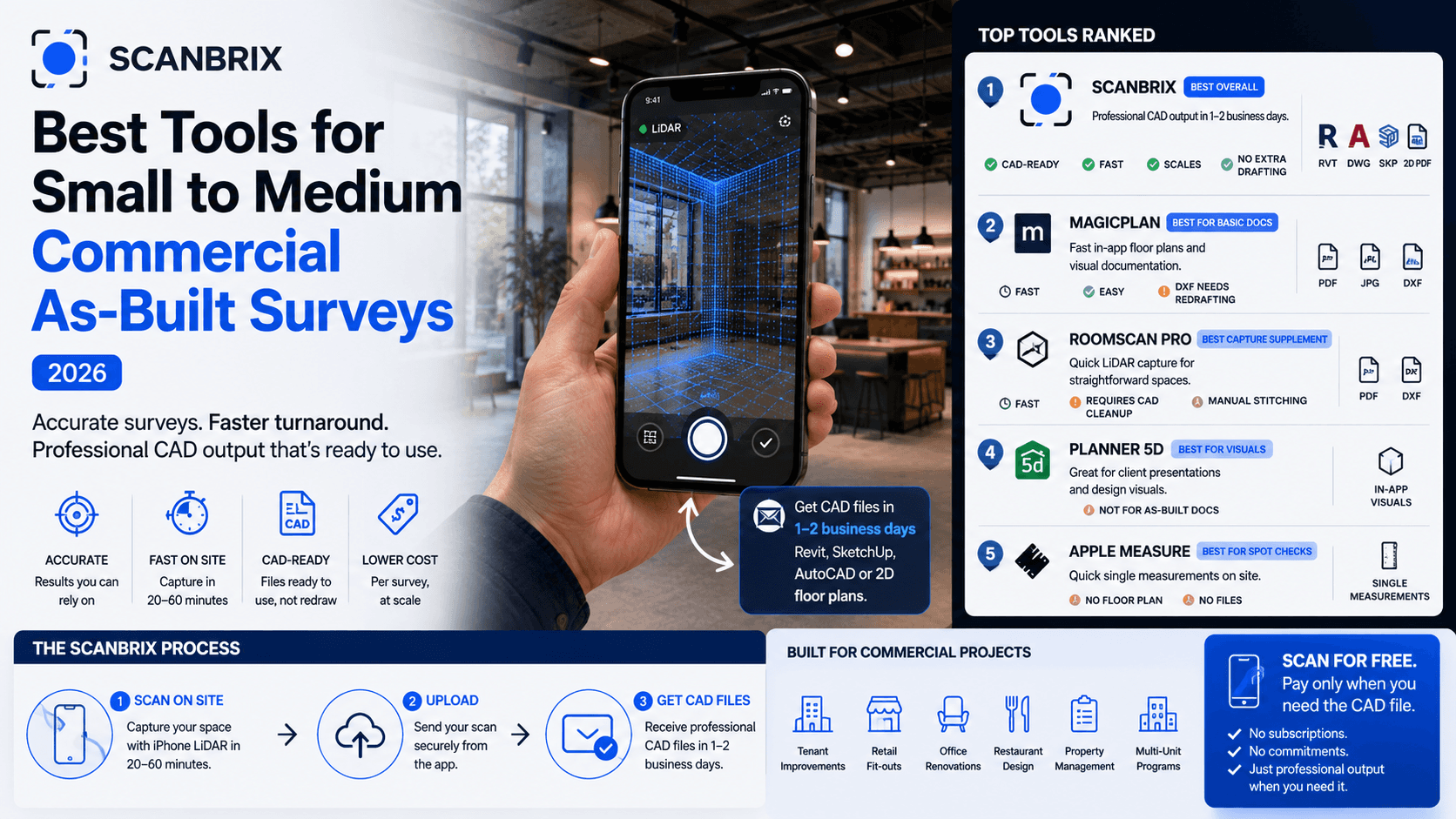
Scanbrix | DWG, SKP, RVT, IFC | Full scan-to-CAD, collaboration, accuracy | Newer tool | Professionals needing final deliverables |
SiteScape | Point Clouds, E57, LAS and other survey formats | Professional reality capture, construction workflows | More technical workflow | Renovation, documentation, scan-to-BIM |
Polycam | OBJ, STL, etc. | Versatility, editing | Some core features paid | Early concept / mass scanning |
3D Scanner App | GLTF, GLB, OBJ, STL, DAE, LAS, DXF | Simplicity, reliability | Less advanced control | Quick scans, reference geometry |
Scaniverse | GLB, FBX, OBJ, USDZ, LAS, PLY, SPZ | Offline processing | Export limitations | Larger spaces, remote sites |
Dot3D | E57, LAS, PLY, DXF | Site survey features | Steep learning, price | Technical / enterprise users |
MagicPlan | Internal formats / design export | Scan + layout + design | Less precision export | Designers, interior layout |
Scanbrix is live on the App Store. Your first 1,000 sq ft of modeling is free — download and scan your next project →
What to Look for in a LiDAR / 3D Scanner App (Buyer’s Guide)
Which iPhones have LiDAR?
Device | LiDAR | Scanning notes |
iPhone 12 Pro / Pro Max | Yes | First iPhone generation with LiDAR; solid for rooms and as-builts. |
iPhone 13 Pro / Pro Max | Yes | Improved processing; same core LiDAR use cases. |
iPhone 14 Pro / Pro Max | Yes | Widely used in the field; good balance of speed and mesh quality. |
iPhone 15 Pro / Pro Max | Yes | Strong capture performance for interior documentation. |
iPhone 16 Pro / Pro Max | Yes | Current-generation Pro LiDAR; best iPhone option for scan-to-CAD workflows. |
iPhone 16e, iPhone 17, iPhone 17 Air, iPhone 17e | No | Standard (non-Pro) models — use photogrammetry apps instead of true LiDAR depth. |
iPhone 17 Pro / Pro Max | Yes | Latest Pro LiDAR hardware as of 2026. |
iPad Pro (2020 or newer, 11" or 12.9") | Yes | Larger screen helps on site; same LiDAR apps as iPhone Pro. |
Accuracy & Calibration: How close the depth data is to real-world measurements
Export Formats / CAD Integration: DWG, SKP, RVT, IFC support
Real-Time Processing & Feedback: Being able to see scans live
Editing Tools / Cleanup: Remove noise, refine mesh
Collaboration & Cloud Support: Share scans, version control
Subscription / Pricing Transparency
Support & Updates
PhotoScan vs LiDAR: which do you actually need?
Many "3D scanner" searches actually mix two different capture methods. LiDAR (on Pro iPhones and iPad Pro) measures depth in real time and is best for rooms, floor plans, and as-built documentation where you need reliable dimensions quickly. Photogrammetry / PhotoScan builds a model from dozens of photos and often wins on small objects, textures, and organic shapes where LiDAR mesh can look soft.
Choose LiDAR when you need: interior dimensions, renovation as-builts, scan-to-CAD deliverables, or fast coverage of multi-room spaces. Apps like Scanbrix, Polycam (LiDAR mode), SiteScape, and MagicPlan are built around this workflow.
Choose photogrammetry when you need: a detailed object model, rich surface texture, or you are on a non-Pro iPhone without LiDAR. Scaniverse, Polycam Photo Mode, and 3D Scanner App's photo modes are common picks — expect more capture time and cleanup before the model is usable.
Honest middle ground: some apps blend both (LiDAR for scale + photos for detail). For professional CAD output from a phone, LiDAR-first capture plus a human modeling step — what Scanbrix is built for — still beats pure PhotoScan for whole-room accuracy.
Why Scanbrix Leads the Pack
It was designed from ground up for professional usage: capturing, converting, collaborating
Deep integration with scan-to-CAD output – not just visualization but actionable model
Accuracy calibration and error correction available for critical measurements
Versioning, team collaboration, export in architectural formats
Optimized for worldwide workflows — supports imperial and metric units, integrates with American CAD / BIM tools
If you’re deciding on one app, Scanbrix is purpose-built to not just scan, but deliver a usable model.
How to Integrate These Apps into Your 2026 Workflow
Prepare the space to be scanned
Use a LiDAR app (Twindo, Polycam, Scanbrix) to scan your space
Order your desired CAD format
Import into your modeling software (Revit, SketchUp, AutoCAD)
Iterate the design, make changes, render for client presentations
Share with your team / client via cloud model
This hybrid of analog + digital is essential in 2026.
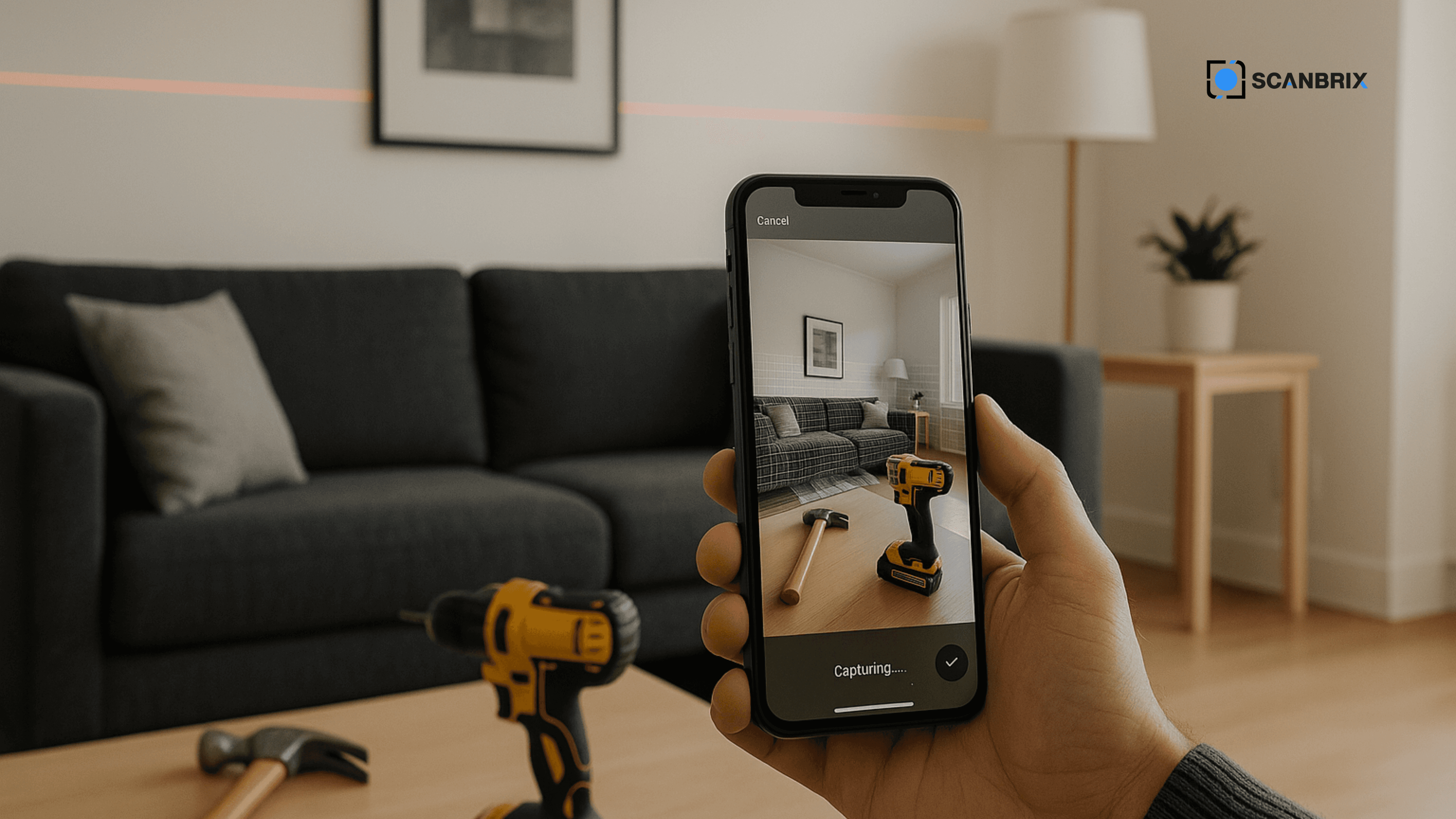
The leap from hammer to LiDAR isn’t just a shift — it’s a transformation of how we design, build, and document. The 7 apps above represent powerful tools to bridge that shift. But if you want not just scanning, but model-ready CAD output, Scanbrix is designed to be the end-to-end solution.
Give it a try — download Scanbrix from the App Store, scan your space, and order your CAD deliverable.
FAQs (for schema & user clarity)
Q: Which iPhones support LiDAR scanning?
A: Pro and Pro Max iPhones from iPhone 12 onward, plus iPad Pro models from 2020 onward. See the Which iPhones have LiDAR? table above for model-by-model detail. Standard iPhone models without LiDAR need photogrammetry-based apps instead.
Q: How accurate are LiDAR scans on iPhone?
A: Under optimal conditions, you can expect accuracy within about 1% of overall dimensions — which is sufficient for many renovation, design and documentation workflows.
Q: What is the best free LiDAR app for iPhone?
A: For free capture, Scaniverse and 3D Scanner App are popular for meshes and exports. If you need a free path to CAD deliverables (Revit, SketchUp, AutoCAD), Scanbrix includes your first 1,000 sq ft of professional modeling at no charge after you download from the App Store.
Q: What is the best 3D scanning app for iPhone?
A: It depends on output. For quick meshes and sharing, Polycam and Scaniverse lead. For dense point clouds and survey workflows, SiteScape and Dot3D are stronger. For finished CAD as-builts, Scanbrix is purpose-built to convert LiDAR captures into DWG, SKP, or RVT deliverables.
Q: What is the best iPhone app for scanning floor plans with LiDAR?
A: MagicPlan and Polycam are strong for fast 2D floor plans. Scanbrix and SiteScape are better when you need measured as-builts that feed Revit, SketchUp, or AutoCAD — not just a sketch plan.
Q: Can I order scans to CAD?
A: Yes — Scanbrix allows ordering to DWG, SKP, RVT, and OBJ, etc., depending on your project. Download the app, scan on site, and place your order in the project workspace.
Q: How do I use LiDAR on iPhone?
A: Open a LiDAR-capable app on a Pro iPhone or iPad Pro, start a room or space scan, walk the perimeter slowly, and let the app build a mesh or point cloud. Export from the app or — with Scanbrix — upload for professional CAD modeling.
Q: Will Scanbrix work for commercial / large-scale projects?
A: Yes, though extremely complex or mega structures may require supplemental scans (terrestrial scanners) — Scanbrix is optimized for interiors and mid-size scopes.
Q: Do I still need manual tools if I scan?
A: Yes. For micro-detail, validating corners, or inaccessible edges, hand tools like tape or laser level remain valuable aids.
Q: Which iPhone is best for 3D scanning?
A: Any current Pro or Pro Max model with LiDAR (iPhone 14 Pro and newer are the most common in 2026). Newer Pro chips process scans faster, but capture technique matters more than generation for room-quality results.
Scanbrix is live on the App Store. Your first 1,000 sq ft is free, with no subscription and no card required. Scan a room, upload it, and get your Revit, SketchUp, or AutoCAD file back within two business days.