 Scanbrix

Go Back
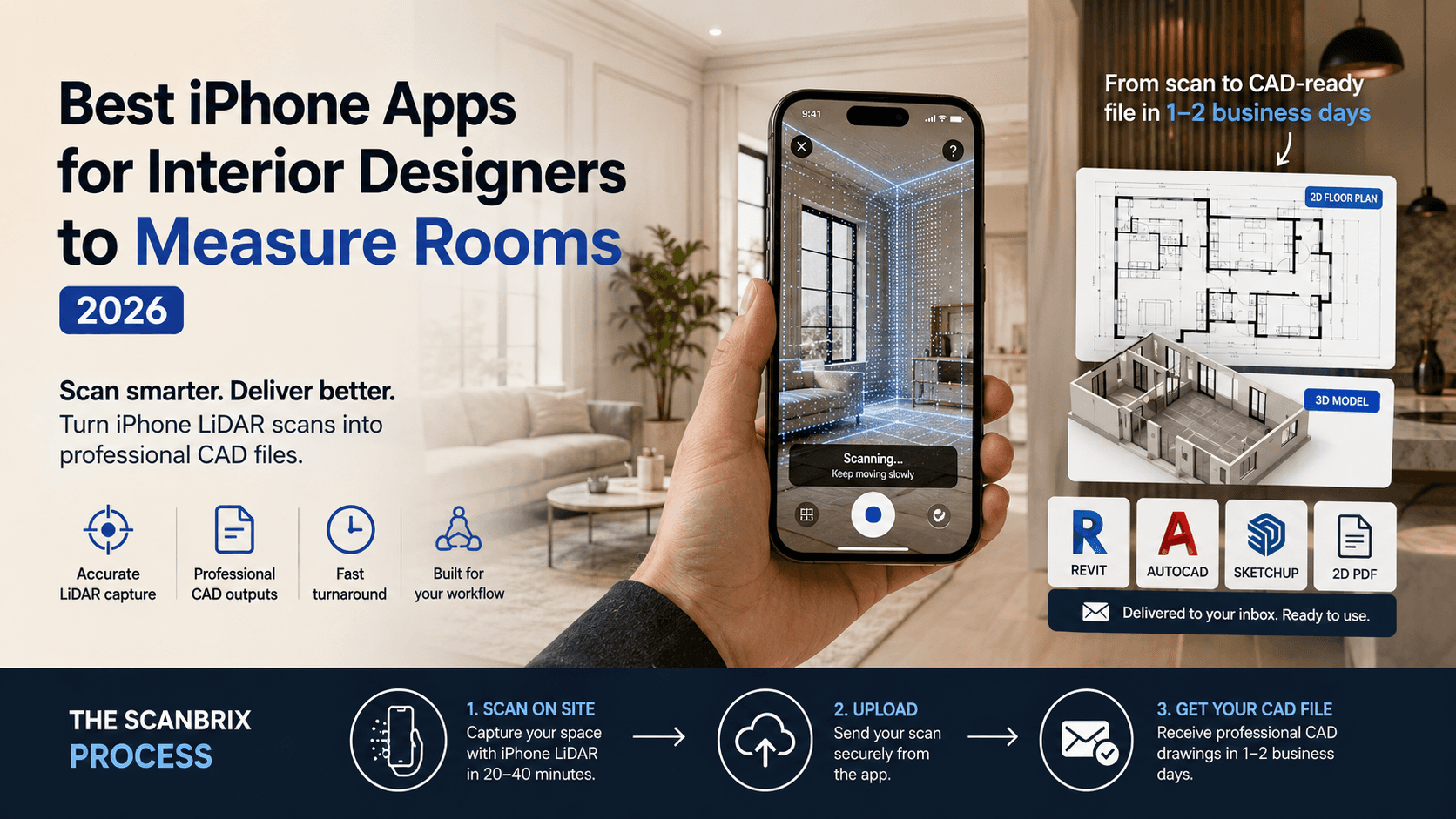
Best iPhone Apps for Interior Designers to Measure Rooms (2026)
This post ranks the best iPhone apps for room measurement specifically for professional interior design use. Not hobbyist tools, not consumer home-decor apps. The evaluation criteria are accuracy, output format, turnaround time, and how well each tool fits into a professional workflow, especially for designers working across several projects at once.

Best iPhone Apps for Interior Designers to Measure Rooms (2026)
Interior designers lose hours on every project to site measurements, tape measures, hand sketches, and second site visits when something is off. For studios running multiple projects a month, that adds up to a significant slice of billable time that delivers no creative value.
This post ranks the best iPhone apps for room measurement specifically for professional interior design use. Not hobbyist tools, not consumer home-decor apps. The evaluation criteria are accuracy, output format, turnaround time, and how well each tool fits into a professional workflow, especially for designers working across several projects at once.
What to look for in a room measuring app
Most room measurement apps are built for consumers. They produce a floor plan you can look at, share as a PDF, or use for rough planning. That is fine if you are rearranging furniture. It is not fine if the drawing needs to go to an architect, a contractor, or into your design software.
Three criteria separate professional tools from the rest:
Output format — does the app give you a file you can actually use downstream? A PDF is a picture. A DXF or Revit file is a working document. For professional interior design, the format of the output matters as much as the accuracy of the scan.
Accuracy at scale — reliable across different room types, ceiling heights, irregular walls, and multi-room spaces. Consumer apps often perform well in rectangular rooms and fall apart everywhere else.
Workflow fit — how many steps exist between the scan and a usable file? For designers running several projects simultaneously, every extra step in the process multiplies across every project. The best tool is not always the most accurate, white it must have a minimum accuracy tolerance, it is the one that removes the most friction from start to finish.
The best iPhone apps for interior designers to measure rooms — ranked
Each app below is evaluated on output quality, professional usability, and fit for designers and architects running an active project workload of residential and commercial locations.
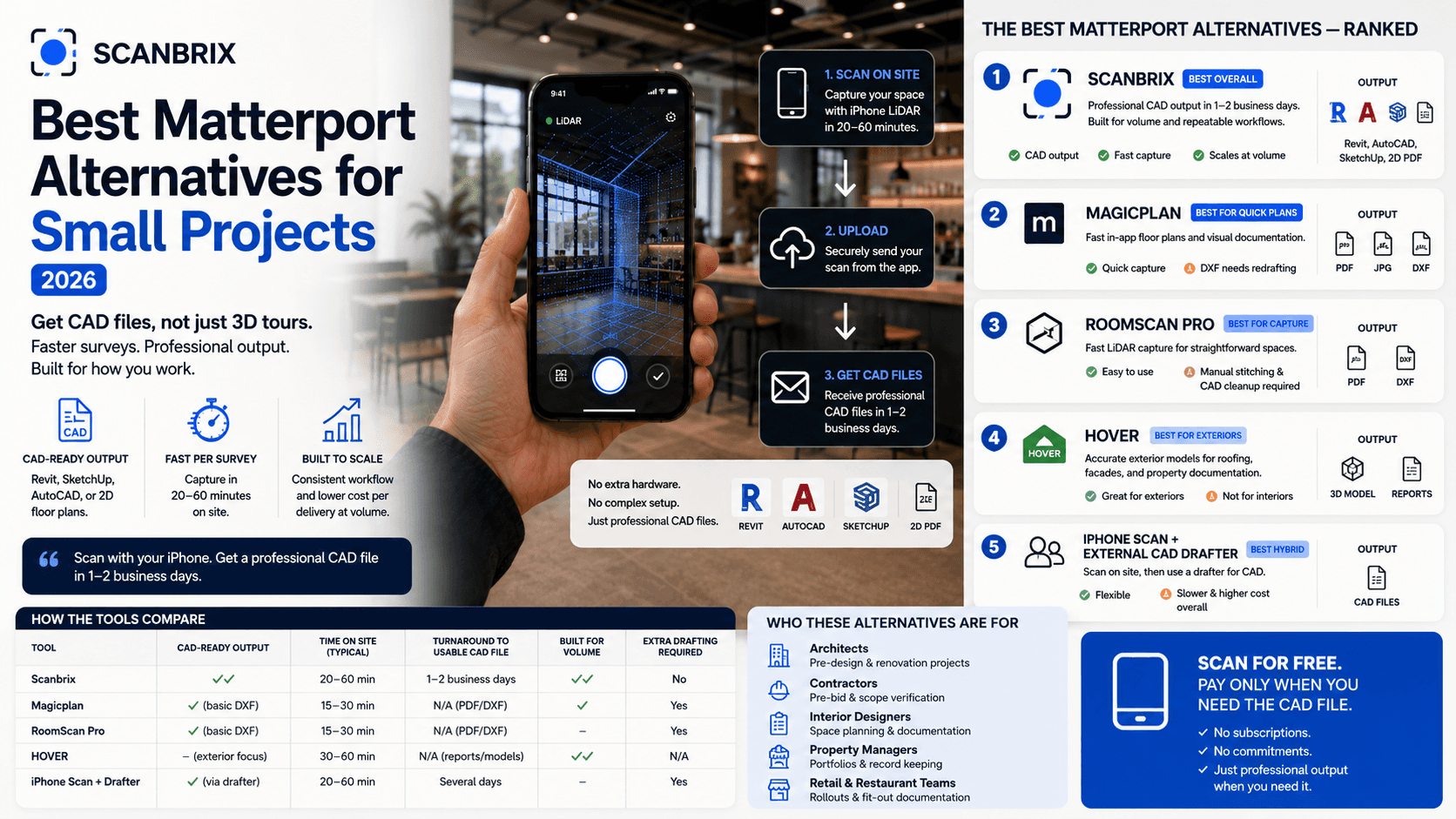
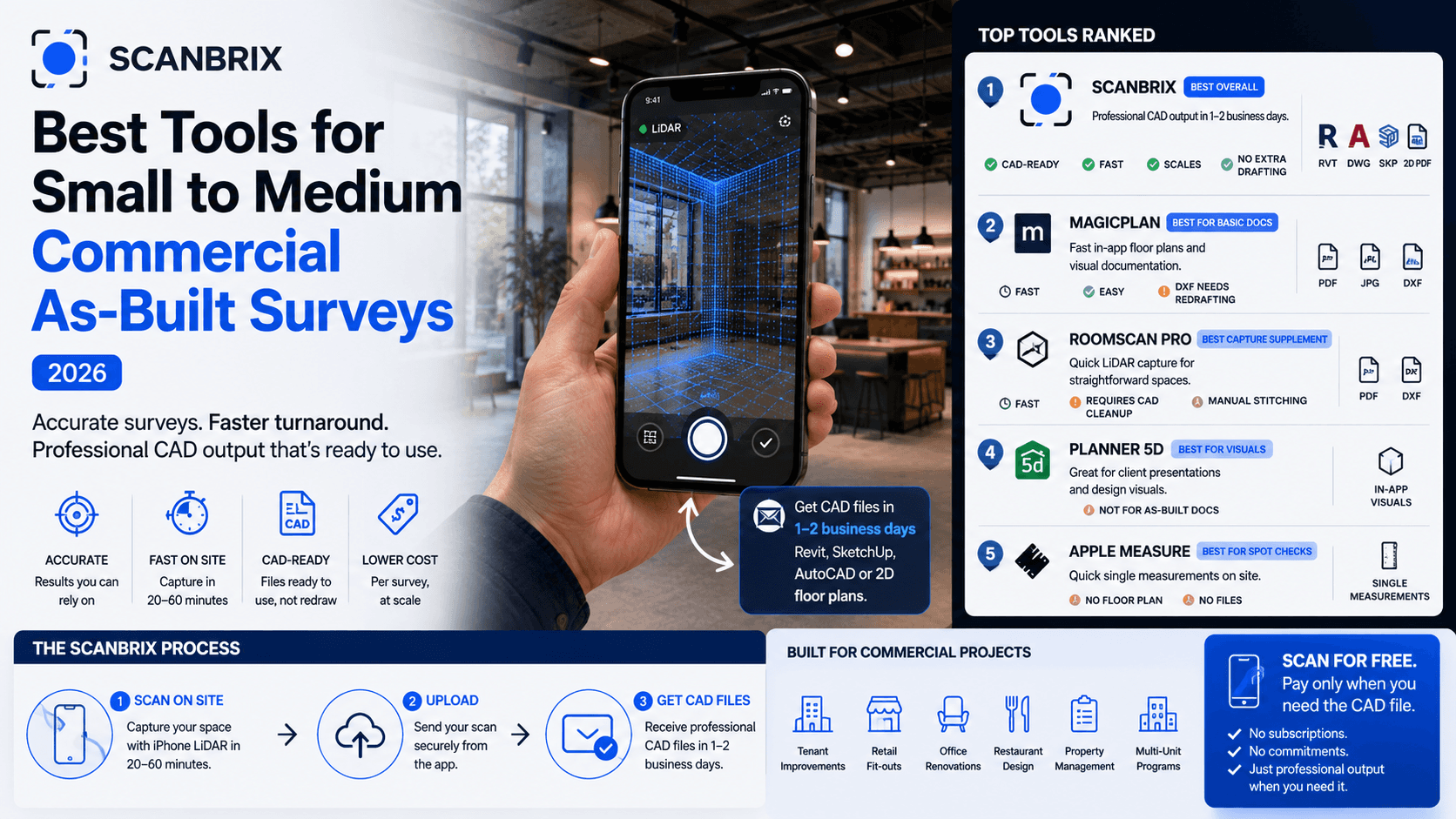
1. Scanbrix — best for professional CAD deliverables
Scanbrix uses iPhone LiDAR to capture a space, then delivers a professional CAD file — Revit, SketchUp, AutoCAD, or a 2D floor plan — within one to two business days. The scan happens on your iPhone. The CAD output arrives in your inbox ready to use.
Best for: Designers who need a file they can hand directly to an architect or contractor without additional drafting work
Output formats: Revit, SketchUp, AutoCAD, 2D floor plans
Turnaround: 1–2 business days from scan to delivery
Pricing: Free to scan; pay per CAD delivery
Hardware required: iPhone 12 Pro or later (LiDAR sensor)
The reason Scanbrix sits at the top of this list is the output. Every other app on this list produces a file you still need to do something with before it is professionally usable. Scanbrix produces the finished file.
Where the value compounds is with project frequency. A designer handling eight to ten projects a month is not saving a few hours — they are removing a recurring bottleneck from every single project in their pipeline. The scan happens on site in twenty to forty minutes. The drawing arrives the next morning.
Honest limitation: If you only need a rough sketch for your own reference during an early client meeting, there are faster options below. Scanbrix is built for output that goes somewhere — to a contractor, an architect, or into design software. If the drawing stays in a drawer, the full-service delivery is more than you need.
2. Magicplan — best for quick in-app floor plans
Magicplan uses iPhone LiDAR to produce floor plans directly within the app. It is fast, reasonably accurate in straightforward spaces, and produces something you can share with a client within minutes of arriving on site.
Best for: Quick visual documentation for client presentations or early-stage planning
Output formats: PDF, JPG, DXF (basic)
Pricing: Subscription-based
The DXF output is worth understanding before relying on it. DXF files from Magicplan are basic — they represent the room geometry but are not production-ready for construction documentation or import into professional design software without significant rework. If the drawing ever needs to go to a contractor or architect as a working document, that rework is an additional step that adds time and introduces room for error.
As a tool for getting a rough plan in front of a client quickly, it does the job. As a replacement for a professional as-built drawing, it falls short of that brief.
3. RoomScan Pro — best for straightforward LiDAR capture
RoomScan Pro captures room geometry room by room using iPhone LiDAR. It is intuitive, fast, and works well for simple rectangular spaces.
Best for: Quick single-room capture where you already have a downstream drafting workflow
Output formats: PDF, DXF
Multi-room projects require manual stitching of individual room scans. The output, like Magicplan, needs professional redrafting before it is usable for any formal documentation purpose. For a designer who scans on site and then hands the file to a drafter to clean up, RoomScan Pro speeds up the capture step. It does not remove the drafting step.
4. Planner 5D — best for client-facing visualizations
Planner 5D is a design and visualisation tool with a scanning feature built in. It produces polished 3D renders and floor plan visualisations that are genuinely useful for client presentations.
Best for: Design ideation and client presentation — not site documentation
Output formats: In-app visualisations, limited export
It is worth being clear on what Planner 5D is: a design tool, not a measurement tool. The output is a visual for a conversation with a client, not a document that goes to a contractor. If you are using it for that purpose it works well. If you are looking for something that produces a professional as-built, it is the wrong category of app.
5. Apple Measure — best free baseline for spot checks
Apple Measure uses AR to measure individual dimensions — a wall, a doorway, a ceiling height. It is built into every modern iPhone and requires no additional app.
Best for: Quick single-dimension checks on site when you need one number fast
Output: Single measurements only, no floor plan, no file output
It is not a floor plan tool. It measures individual dimensions and that is the full extent of what it does. For confirming a single measurement on site, it is fast and always available. For anything else, it is the wrong tool.
Which app is right for your workflow?
The right question to ask before choosing an app is: what does the output need to do?
If the drawing is for your own reference — a rough layout to help you think through a space — any of these apps will serve that purpose, and the fastest one wins.
If the drawing goes to an architect, a contractor, or into design software, only one app on this list delivers that without additional drafting work. The moment a project requires professional-grade documentation, the downstream work required by the other apps on this list becomes the deciding factor.
App | CAD output? | Quick sketch | Pro CAD file | Multi-project workflow | No extra drafting |
|---|---|---|---|---|---|
Scanbrix | ✓✓ | ✓✓ | ✓✓ | ✓✓ | ✓✓ |
Magicplan | ✓ | ✓✓ | — | ✓ | — |
RoomScan Pro | ✓ | ✓✓ | — | — | — |
Planner 5D | — | ✓✓ | — | — | — |
Apple Measure | — | ✓ | — | — | — |
Our recommendation
For interior designers and architects with consistent projects monthly, Scanbrix is the only tool on this list that removes the downstream drafting work entirely. You scan on site. The CAD file arrives in your email. The project moves forward.
The value is clearest when you look at what the alternative actually costs. A rough scan that still needs a drafter to clean it up is not a free option, the drafting time is a real cost, whether it comes out of your own hours or a contractor's invoice. A professional-grade drawing delivered the next day has no hidden steps after it.
Scanning is always free. Pay only when you need the CAD file. Try Scanbrix on your next project.
Frequently asked questions
What app do professional interior designers use to measure rooms?
Professional interior designers who need CAD-ready output — files that go to architects, contractors, or into design software — increasingly use iPhone LiDAR scanning apps rather than manual tape measures or traditional laser scanners. Scanbrix specifically is designed for this use case, producing Revit, SketchUp, and AutoCAD files from an iPhone scan within one to two business days.
Is iPhone LiDAR accurate enough for professional interior design work?
iPhone LiDAR (available on iPhone 12 Pro and later) is accurate to within a few centimetres for most interior spaces. For professional interior design documentation — renovation drawings, fit-out briefs, space planning — that accuracy is sufficient. For structural engineering or construction tolerances requiring millimetre precision, a traditional laser distance measurer should be used to confirm critical dimensions.
Can I get a floor plan from my iPhone that an architect can use?
Yes. Scanbrix produces CAD files, Revit, SketchUp, AutoCAD, and 2D floor plans, from an iPhone LiDAR scan. These are the same file formats architects and contractors work with. The file is delivered within one to two business days and is ready to use without additional drafting.