 Scanbrix

Go Back
The Modern As-Built Workflow for Residential Design (From First Visit to Final Drawings)
As-builts are often treated as a necessary evil, something to get through before “real” design begins. In reality, high-quality as-builts accelerate design. They reduce uncertainty, eliminate rework, and create confidence across the project team. Design moves faster when the foundation is solid.

As-built drawings are one of the least glamorous parts of residential design, and one of the most important for renovation projects. They are used for planning, design and estimation across the lifetime of a project.
They’re rarely discussed in marketing materials. Clients don’t ask for them by name. And yet, when as-builts are incomplete or inaccurate, the entire project slows down.
Design revisions increase. Contractors ask more questions. Budgets get stressed. And designers are left managing problems that could have been avoided early with a good set of as-builts.
This article breaks down what a modern residential as-built workflow looks like today, how it differs from traditional approaches, and how designers can create documentation that supports faster, more confident design work.
What Are As-Built Drawings (And Why They Matter in Residential Projects)
As-built drawings represent the actual conditions of a home—not what was planned, permitted, or originally constructed.
In residential work, as-builts are especially important because:
Homes change over time
Renovations layer over previous renovations
Original drawings are often missing or inaccurate
Contractors rely on designers to clarify reality
As-builts are not the same as:
Permit drawings
Conceptual floor plans
Marketing layouts
They are a foundation document. One that every design decision builds on.
Common Mistakes Designers Make With Residential As-Builts
Most as-built issues don’t come from negligence. They come from pressure, time constraints, and assumptions.
Common pitfalls include:
Trusting outdated plans without verification
Skipping ceiling heights or ceiling changes
Assuming walls are square or consistent
Leaving irregularities undocumented
Relying on contractor interpretation later
Each of these increases risk. Together, they create costly downstream problems.
The Traditional As-Built Process (And Its Limitations)
Traditionally, residential as-builts are created using:
Tape measures
Hand sketches
Manual drafting
Multiple rounds of clarification
While familiar, this process has clear limitations:
It’s slow
It’s prone to human error
It requires interpretation after the fact
It doesn’t scale well across larger homes
Most importantly, it separates documentation from design, creating friction between the two.
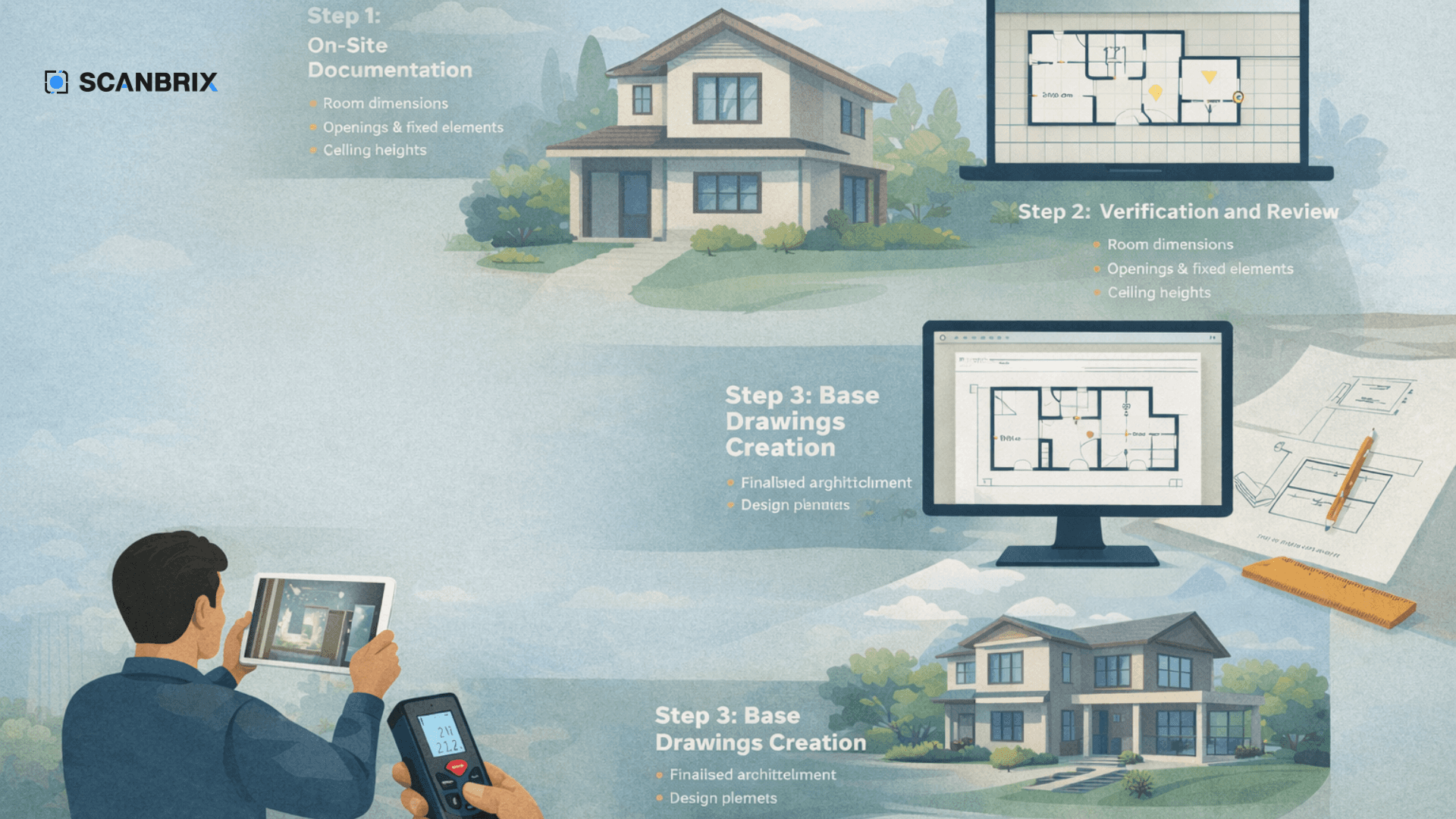
The Modern Residential As-Built Workflow (Step by Step)
Modern as-built workflows focus on clarity, confidence, and reuse.
Step 1: On-Site Documentation
The goal is not perfection, it’s completeness.
Designers document:
Room dimensions and relationships
Openings and fixed elements
Ceiling heights and transitions
Structural constraints that affect layout
Many firms now prioritize capturing a reliable spatial reference of the home so questions can be answered later without returning to site.
Step 2: Verification and Review
Before drawings begin:
Documentation is reviewed for gaps
Irregularities are flagged
Assumptions are eliminated early
This step is often skipped, and it’s where most mistakes originate.
Step 3: Base Drawings Creation
From verified documentation, designers create:
Clean floor plans
Clear annotations
Simple but accurate drawings meant for design—not engineering
3D models in the software of their choice.
Good base drawings are legible, trustworthy, and easy to design from.
Step 4: Design Development
With accurate as-builts in place:
Design iterations move faster
Contractor questions decrease
Revisions are intentional, not reactive
The as-built becomes a shared reference point across the project.
Who Is Responsible for As-Built Accuracy?
This question matters more than most designers realize.
In residential projects:
Designers often become the de facto source of truth
Contractors assume drawings are accurate
Clients expect designs to reflect reality with photo real renders
Clear as-built documentation protects everyone involved by reducing ambiguity and finger-pointing later.
Manual vs Digital As-Built Documentation
There is no one-size-fits-all approach.
Method | Pros | Cons |
Manual measuring | Familiar | Error-prone, time-intensive |
Photos & notes | Visual context | Not dimensionally reliable |
Digital documentation | Reusable, consistent | Requires a defined process |
Many designers combine methods depending on project scope and complexity.
How Better As-Builts Reduce Revisions, Delays, and Liability
Strong as-builts pay dividends throughout a project:
Fewer design revisions
Fewer RFIs from contractors
Fewer surprises during construction
Higher client confidence
The upfront investment saves time, money, and stress later.
What a “Good” Residential As-Built Should Include
At minimum, residential as-builts should document:
Floor plans with clear dimensions
Ceiling heights and ceiling changes
Door and window locations and sizes
Fixed elements and structural constraints
Notes on irregularities and deviations
Clarity matters more than density.
Frequently Asked Questions
Do interior designers need as-built drawings?
Yes. As-builts provide the foundation for accurate design, especially in remodels and older homes.
How accurate do residential as-builts need to be?
Accurate enough to support confident design decisions, estimation and contractor coordination.
Who typically creates as-built drawings?
Interior designers, architects, or documentation specialists depending on the project needs.
Are as-builts required for remodels?
Not always, but they significantly reduce risk and rework in renovation projects.
Final Thought: As-Builts Are a Design Accelerator, Not a Bottleneck
As-builts are often treated as a necessary evil, something to get through before “real” design begins.
In reality, high-quality as-builts accelerate design. They reduce uncertainty, eliminate rework, and create confidence across the project team.
Design moves faster when the foundation is solid.